

Mist and Motion, Capturing the Lush Flow of Leura Cascades After Heavy Rain
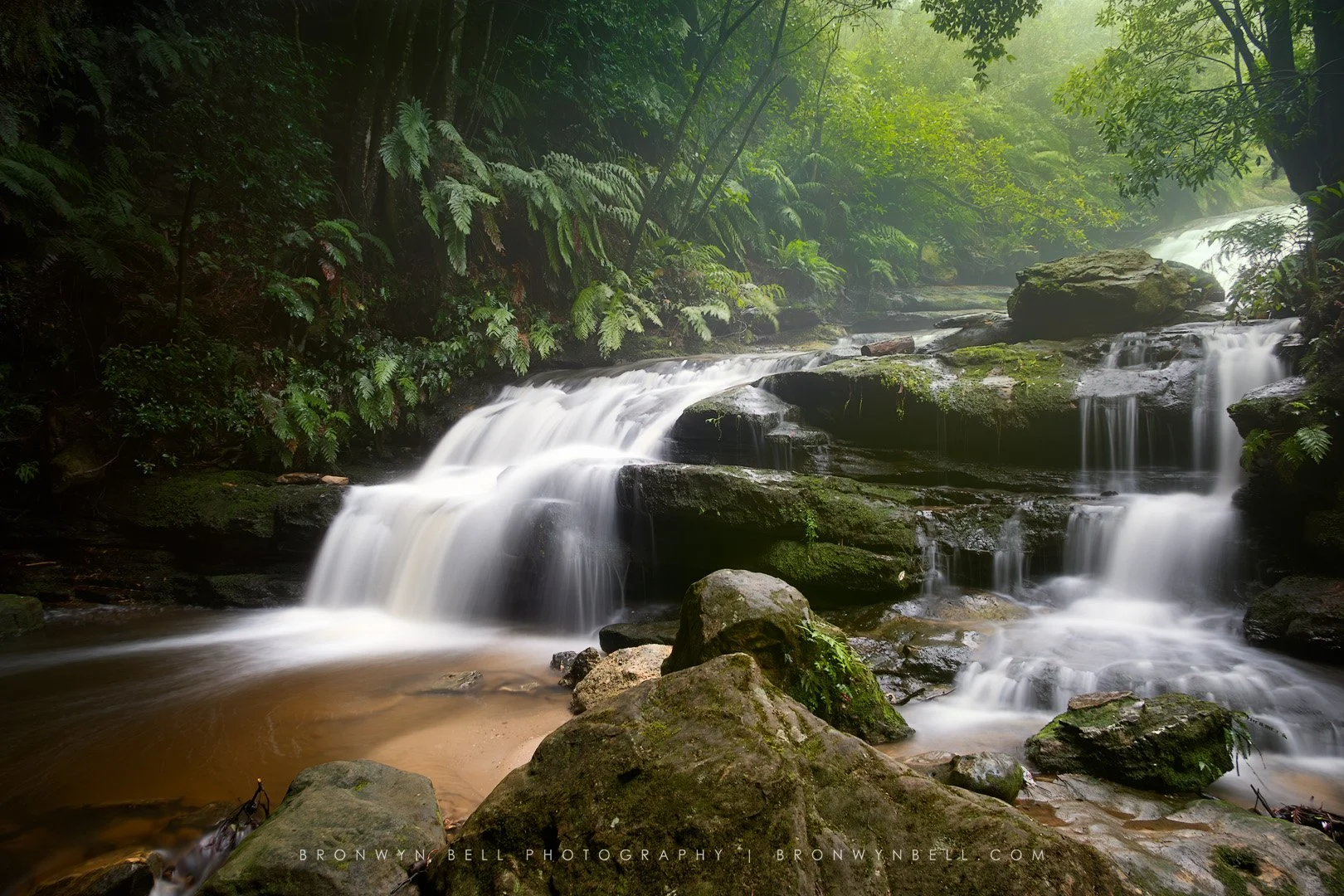
Leura Cascades in a misty setting after recent heavy rain.
A Rain-Soaked Return to the Cascades
After a period of consistent rainfall across the Blue Mountains, Leura Cascades was flowing with renewed intensity. These conditions always create an opportunity to capture something special, the water volume increases, the surrounding foliage deepens in colour, and the entire scene takes on a soft, mist-filled atmosphere.
The walk down to the cascades follows a clearly marked path, which has recently been upgraded. While it is not overly steep, there are sections with steps and, after rain, some areas can become quite slippery. Taking care on the descent and allowing time to move safely is important, especially when carrying camera gear. A hiking pole can be useful for added stability, particularly on the return climb back out.
Finding the Right Position
To create this image, I made my way down toward the lower section of the cascades, positioning myself as close as possible to the flowing water without being overwhelmed by spray. The volume of water after rainfall creates a constant mist, and this can quickly settle on your lens.
I chose to stand slightly off to the right of the main cascade, which allowed me to frame the scene with a strong sense of depth while avoiding the heaviest spray. Even then, regular wiping of the lens was essential to maintain clarity throughout the shoot.
Managing Light, Contrast, and Motion
This scene presented a classic high dynamic range challenge. The shaded environment at the base of the cascades creates deep, rich shadows, while the flowing water reflects a significant amount of light, producing bright highlights.
In addition to this, there was visible backlight filtering through the canopy behind the scene, adding another layer of complexity. Balancing these elements required a careful exposure approach.
I captured three exposures for blending
One base exposure
One underexposed image to retain highlight detail in the water
One overexposed image to recover shadow detail in the darker areas
The longer exposures helped create that soft, flowing veil effect in the water, while the shorter exposure ensured that the highlights retained texture and were not blown out.
Photoshop: Exposure Blending and Luminosity Masking
In Photoshop post-processing, I used TK Multi Mask, TK Actions, to blend the exposures together using luminosity masks. The underexposed image was essential for controlling highlight detail, particularly in the brightest sections of the water and in the background where light was filtering through the trees. This helped retain structure in areas that would otherwise appear too bright. The overexposed image allowed me to bring back detail in the darker areas, especially within the rocks and the deep green ferns. By selectively blending these exposures, I was able to maintain balance across the tonal range while preserving the softness of the water.
Dodging, Burning, and Local Adjustments
To refine the image further, I applied subtle dodging and burning. Dodging was used to gently lift detail in shadowed areas, particularly on the left-hand side of the frame. Burning helped to control some of the brighter highlights in the background, ensuring they did not distract from the main cascade. These adjustments were applied selectively using luminosity masks, allowing for precise control over where light and dark adjustments were introduced.
Colour Control and Creating a Lush Green Atmosphere
A key part of this image was shaping the colour palette to enhance the rainforest feel. Using smart object layers in Photoshop, I opened individual exposures into Camera Raw and adjusted colour independently across lights, midtones, and shadows.
The darker areas were shifted slightly toward deeper green tones
The background highlights were warmed with subtle yellow-green hues
Midtones were balanced to unify the overall colour palette
Care was taken to mask out the water so that the whites remained clean and did not pick up unwanted colour casts. This layered colour control allowed for a more immersive, natural green tone throughout the image, enhancing the sense of depth and atmosphere.
Adding a Subtle Autumn Glow
To complete the image, I introduced a slight warmth into selected highlights to create a gentle glow. This added a touch of contrast to the cooler greens and helped emphasise the mist and diffused light within the scene. The result is a more atmospheric, almost ethereal interpretation of the cascades, something that reflects not just the location, but the feeling of being there after rain.
Final Thoughts
Conditions like these transform familiar locations into something entirely different. The combination of flowing water, mist, filtered light, and deep colour creates a scene that is both dynamic and calming. This image is less about dramatic colour and more about subtle transitions, texture, and mood. It captures a quiet moment within a constantly moving landscape, where water, light, and forest come together in balance.
Technical Details
Location: Leura Cascades
Time of Day: Early morning
Camera: Canon G5X Mark II
Focal Length: 8.8mm
Settings:
Aperture: f/9
ISO: 125
Exposure Blending:
8 seconds, shadow detail
4 seconds, base exposure
2 seconds, highlight detail
Post-Processing Workflow:
Photoshop with TK Multi Mask, TK Actions
Luminosity masking for exposure blending
Dodging and burning for tonal refinement
Smart object layers with Camera Raw adjustments
Colour grading across lights, midtones, and shadows for enhanced green tones
Masking to preserve neutral whites in water
Subtle autumn glow added to highlights for atmosphere
See more blog posts about Blue Mountains Photography locations and ideas.
Memaid’s Glen and Macro Photography
